 1697a5d7c2
Clicking a range now writes ?range=<key> (replaceState — no history spam) and the chart restores it on init, so reloading the SAME page keeps the chosen range. Opening the page fresh (no param) still defaults to 24h. Co-Authored-By: Claude Opus 4.8 <noreply@anthropic.com> |
||
|---|---|---|
| .github | ||
| app | ||
| art | ||
| bootstrap | ||
| config | ||
| database | ||
| docker | ||
| lang | ||
| public | ||
| resources | ||
| routes | ||
| run | ||
| scripts | ||
| storage | ||
| tests | ||
| .dockerignore | ||
| .editorconfig | ||
| .env.example | ||
| .gitattributes | ||
| .gitignore | ||
| CHANGELOG.md | ||
| Dockerfile | ||
| README.md | ||
| artisan | ||
| composer.json | ||
| composer.lock | ||
| docker-compose.prod.yml | ||
| docker-compose.yml | ||
| install.sh | ||
| package-lock.json | ||
| package.json | ||
| phpunit.xml | ||
| update.sh | ||
| vite.config.js | ||
README.md
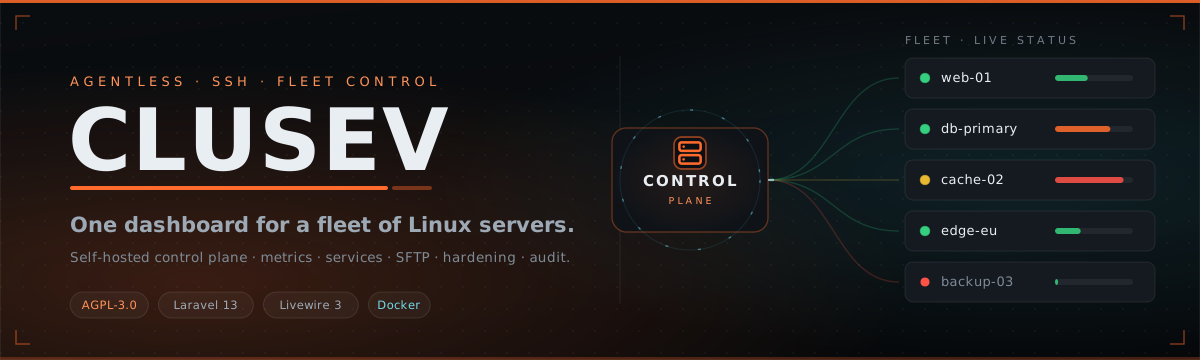
One dashboard for your whole fleet. Agentless over SSH. Self-hosted, security-first, open core.




Features · Architecture · Quick start · Domain & TLS · Security · License
What is Clusev
Clusev is the control plane for a fleet of Linux servers — a modern, security-first web UI that administers your machines by talking to them directly over SSH (exec + SFTP via phpseclib). It installs nothing on the target servers and never reimplements their daemons; it orchestrates the real ones.
Multi-server management is free and never paywalled. Optional Pro modules (SSO/LDAP, RBAC, audit export, alerting) are separate — the core stays open.
| Agentless | Security-first | Self-hosted |
| Pure SSH + SFTP. No daemon, no package, no push-agent on your servers. | 2FA, encrypted credential vault, tamper-evident audit log, per-device sessions. | One Docker stack on one VM. Your servers, your data, your keys. |
Features
| Capability | What you get |
|---|---|
| Dashboard & live metrics | CPU, memory, load and disk per server, streamed in real time over WebSockets. |
| systemd services | List, start / stop / restart, and tail the live journal — per service, per server. |
| SFTP file manager | Browse the remote filesystem, edit text files in place, preview images. |
| Server details & hardening | Resource gauges, volumes, interfaces and SSH keys; UFW / firewalld rules and fail2ban status with one-click controls; a guided "generate an SSH key and disable password login, safely" flow. |
| Security | Pluggable 2FA (TOTP and/or hardware keys, or off), one-time backup codes, an encrypted SSH-credential vault, and a complete tamper-evident audit log. |
| Multiple administrators | Add further admin accounts — every action is attributed in the audit log; view and revoke active sessions per device, per user, or globally. |
| Domain, TLS & e-mail | Run on a bare IP over HTTP, set a domain for automatic Let's Encrypt HTTPS, or sit behind your own reverse proxy. In-panel SMTP for password-reset mail. |
| WireGuard (built-in) | Stand up a WireGuard tunnel from the dashboard, manage peers and live status, and optionally gate the panel — and even SSH — to the tunnel only. |
The interface is German by default (English available). Status is shown the operational way — colour, dots and pills — never emoji.
Architecture

Laravel is the control plane, not a re-implementation of your servers. The browser talks to it
over HTTPS and a Reverb WebSocket for live telemetry; it reaches each server over SSH exec + SFTP
using credentials sealed in an encrypted vault that never leaves the control plane. Everything runs as
one Docker stack — app (php-fpm + nginx + Vite), reverb, queue, scheduler, mariadb,
redis — on a single VM.
| Layer | Technology |
|---|---|
| Framework | Laravel 13 |
| UI / interactivity | Livewire 3 (class-based) |
| Styling | Tailwind v4 (CSS-first, @theme) |
| Realtime | Laravel Reverb + Echo |
| Queue / cache | Redis |
| Database | MariaDB |
| SSH transport | phpseclib (exec + SFTP) |
| Reverse proxy / TLS | Caddy (automatic Let's Encrypt) |
| Packaging | Docker + Docker Compose |
Quick start
sudo apt-get update && sudo apt-get install -y git   # minimal images often lack git
git clone https://github.com/clusev/clusev.git
cd clusev
sudo ./install.sh
The installer is idempotent (safe to re-run) and, in one pass:
- Installs Docker (Debian/Ubuntu, from Docker's official repository) if it isn't already present.
- Creates a dedicated
clusevsystem user — in thedockergroup, owning and running the stack — with a random password. - Asks for a domain (leave empty for IP access) and an admin e-mail (default
admin@clusev.local), or readsCLUSEV_DOMAIN/CLUSEV_ADMIN_EMAILfrom the environment for an unattended install. With a domain it checks whether DNS already points here: if so a certificate is obtained automatically; if not, it warns you and lets you take the domain anyway (HTTP until DNS is correct) or continue on the IP. - Generates all secrets (once — never regenerated on re-run), builds the image, starts the stack,
runs the migrations, and creates the first administrator with the default password
clusev(you are forced to change it on first login). - Installs a themed host login banner (MOTD) showing the dashboard address and live stack status.
When it finishes, the terminal prints a single summary: the dashboard URL, the admin login
(your e-mail — admin@clusev.local if you left it empty — plus the default password clusev),
and the clusev host user + its random password (shown only once — note it down).
First login
Log in with your admin e-mail and the password clusev — the panel then forces you to set a new
password immediately. Do this right away: clusev is a known default, so the account is only safe
once changed. You can change the login e-mail later under Settings → Profile. 2FA is optional but
recommended — enable TOTP and/or a security key from Settings → Security whenever you like.
Requirements
The Clusev panel host — the one VM that runs the dashboard:
- OS: Debian 12/13 or Ubuntu 22.04/24.04, with root access.
- CPU / RAM: 1 vCPU and 1 GB RAM minimum (2 GB recommended) — the whole Docker stack (app, MariaDB, Redis, Reverb, queue) runs here.
- Disk: ~5 GB free minimum (10 GB+ recommended — image and database grow over time).
- Network: a public IP; optionally a domain whose DNS points at the server (for automatic HTTPS — Let's Encrypt needs ports 80/443 reachable).
- Tools: only git to fetch the repo — the installer sets up Docker and everything else.
The servers you manage need nothing installed — just SSH reachable from the panel and a
standard Linux /proc. Full control (service management + hardening) additionally needs systemd
and one of apt / dnf / zypper. See Supported operating systems.
Supported operating systems
Clusev is agentless — it manages whatever it can reach over SSH. How much works depends on the target's init system and package manager:
| OS family | Metrics | systemd services | Hardening (SSH · fail2ban · firewall · auto-updates) |
|---|---|---|---|
| Debian · Ubuntu (and derivatives) | ✅ | ✅ | ✅ |
| RHEL · Fedora · Rocky · AlmaLinux · CentOS Stream · Amazon Linux | ✅ | ✅ | ✅ |
| openSUSE · SLES | ✅ | ✅ | ✅ |
| Arch | ✅ | ✅ | ⚠️ not yet (pacman not wired) |
| Alpine (OpenRC) | ✅ | ❌ no systemd | ❌ |
| Other / unidentified Linux | ✅ if /proc present |
❌ | ❌ |
Metrics (CPU, memory, disk, load) read from /proc and work on essentially any Linux. Service
control needs systemd. Hardening uses the host's firewall (ufw / firewalld) and package
manager (apt / dnf / zypper); where those aren't present, the action is shown as unavailable
rather than failing silently.
Access, domain & TLS
- Bare IP (no domain): served over plain HTTP at
http://<server-ip>. This address always stays reachable as a recovery path, even after a domain is configured. - With a domain: set it during install or later under System → Domain & TLS. The panel obtains and renews a Let's Encrypt certificate automatically and serves HTTPS — just point DNS at the server. (Let's Encrypt needs publicly reachable ports 80/443.)
- Behind your own reverse proxy (one that already terminates TLS): switch TLS-Terminierung to
Externer Reverse-Proxy in System → Domain & TLS. The panel then serves HTTP only and trusts
the proxy's forwarded scheme — set
TRUSTED_PROXY_CIDRto the proxy's address and firewall the HTTP port so only the proxy can reach it.
Domain/TLS changes apply on a stack restart — use the "Jetzt neu starten" button in System (no terminal needed; a small, scoped host service performs the restart).
Updating
cd clusev
sudo ./update.sh         # pulls the latest code, then rebuilds, restarts and migrates
update.sh fast-forwards the repo (it never discards local changes), re-runs the idempotent installer
non-interactively, and updates itself if the script changed. Secrets and the configured domain /
e-mail are preserved. (The older two-step git pull && sudo ./install.sh still works.)
Security & recovery
The forgot-password screen offers self-service recovery: an e-mail reset link (valid 15 minutes) when SMTP is configured, or an inline 2FA-proof reset (e-mail + TOTP or a backup code + new password) as a fallback.
Completely locked out (lost password and 2FA, no SMTP)? Recover from the host:
cd clusev
docker compose -f docker-compose.prod.yml exec app php artisan clusev:reset-admin
This clears the second factor so you can set a new password on the next login. The bare-IP
http://<server-ip> address is also always available if a domain becomes unreachable. (This command
is documented in-panel under Settings → Security and is deliberately not shown on the public
forgot-password screen.)
License
Open core, AGPL-3.0 — multi-server fleet management is always free; optional Pro modules (SSO/LDAP, RBAC, audit export, alerting) are separate.
Project home — github.com/clusev/clusev