 4ab255832d
A non-interactive SSH exec (and sudo's secure_path) frequently has a minimal PATH (~/usr/bin:/bin). Docker installed in /usr/local/bin (get.docker.com), /snap/bin (snap) or /usr/sbin is then unreachable, so every call died with "sh: docker: not found" and the page rendered as "Docker nicht verfügbar" even though Docker was installed and running. Prepend a comprehensive PATH to every docker invocation (available, containers, containerAction, logs, composeStacks) so the binary is located independent of the remote login shell. Reproduced the exact failure and the fix through the real FleetService base64+sh transport. Co-Authored-By: Claude Fable 5 <noreply@anthropic.com> |
||
|---|---|---|
| .github | ||
| app | ||
| art | ||
| bootstrap | ||
| config | ||
| database | ||
| docker | ||
| lang | ||
| public | ||
| resources | ||
| routes | ||
| run | ||
| scripts | ||
| storage | ||
| tests | ||
| .dockerignore | ||
| .editorconfig | ||
| .env.example | ||
| .gitattributes | ||
| .gitignore | ||
| CHANGELOG.md | ||
| Dockerfile | ||
| README.md | ||
| artisan | ||
| composer.json | ||
| composer.lock | ||
| docker-compose.prod.yml | ||
| docker-compose.yml | ||
| install.sh | ||
| package-lock.json | ||
| package.json | ||
| phpunit.xml | ||
| update.sh | ||
| vite.config.js | ||
README.md
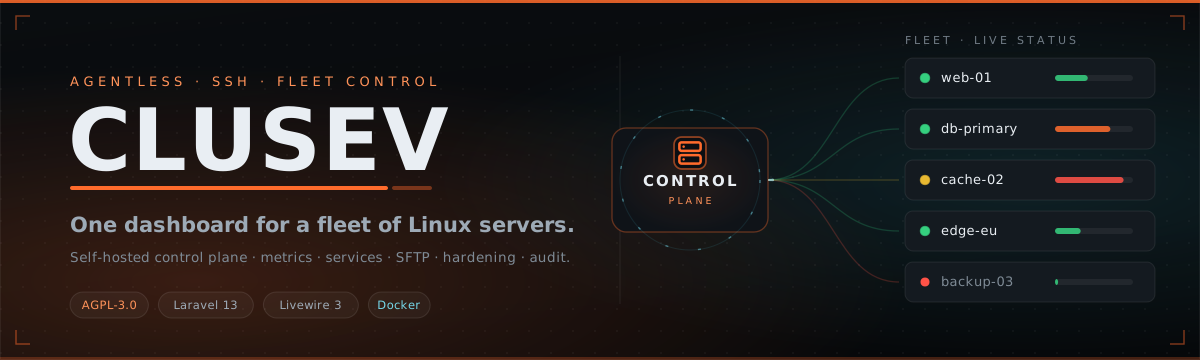
One dashboard for your whole fleet. Agentless over SSH. Self-hosted, security-first, open core.




Features · Architecture · Quick start · Domain & TLS · Security · License
What is Clusev
Clusev is the control plane for a fleet of Linux servers — a modern, security-first web UI that administers your machines by talking to them directly over SSH (exec + SFTP via phpseclib). It installs nothing on the target servers and never reimplements their daemons; it orchestrates the real ones.
Multi-server management is free and never paywalled. Optional Pro modules (SSO/LDAP, RBAC, audit export, alerting) are separate — the core stays open.
| Agentless | Security-first | Self-hosted |
| Pure SSH + SFTP. No daemon, no package, no push-agent on your servers. | 2FA, encrypted credential vault, tamper-evident audit log, per-device sessions. | One Docker stack on one VM. Your servers, your data, your keys. |
Features
| Capability | What you get |
|---|---|
| Dashboard & live metrics | CPU, memory, load and disk per server, streamed in real time over WebSockets. |
| systemd services | List, start / stop / restart, and tail the live journal — per service, per server. |
| SFTP file manager | Browse the remote filesystem, edit text files in place, preview images. |
| Web terminal | A full SSH terminal in the browser — one per server, and one for the Clusev host itself. Real PTY with tab-completion; the connection's host key is pinned against MITM. |
| Server details & hardening | Resource gauges, volumes, interfaces and SSH keys; UFW / firewalld rules and fail2ban status with one-click controls; a guided "generate an SSH key and disable password login, safely" flow. |
| Security | Pluggable 2FA (TOTP and/or hardware keys, or off), one-time backup codes, an encrypted SSH-credential vault, and a complete tamper-evident audit log. |
| Multiple administrators | Add further admin accounts — every action is attributed in the audit log; view and revoke active sessions per device, per user, or globally. |
| Domain, TLS & e-mail | Run on a bare IP over HTTP, set a domain for automatic Let's Encrypt HTTPS, or sit behind your own reverse proxy. In-panel SMTP for password-reset mail. |
| WireGuard (built-in) | Stand up a WireGuard tunnel from the dashboard, manage peers and live status, and optionally gate the panel — and even SSH — to the tunnel only. |
The interface is German by default (English available). Status is shown the operational way — colour, dots and pills — never emoji.
Architecture

Laravel is the control plane, not a re-implementation of your servers. The browser talks to it
over HTTPS and a Reverb WebSocket for live telemetry; it reaches each server over SSH exec + SFTP
using credentials sealed in an encrypted vault that never leaves the control plane. Everything runs as
one Docker stack — app (php-fpm + nginx + Vite), reverb, queue, scheduler, mariadb,
redis — on a single VM.
| Layer | Technology |
|---|---|
| Framework | Laravel 13 |
| UI / interactivity | Livewire 3 (class-based) |
| Styling | Tailwind v4 (CSS-first, @theme) |
| Realtime | Laravel Reverb + Echo |
| Queue / cache | Redis |
| Database | MariaDB |
| SSH transport | phpseclib (exec + SFTP) |
| Reverse proxy / TLS | Caddy (automatic Let's Encrypt) |
| Packaging | Docker + Docker Compose |
Quick start
sudo apt-get update && sudo apt-get install -y git   # minimal images often lack git
git clone https://github.com/clusev/clusev.git
cd clusev
sudo ./install.sh
The installer is idempotent (safe to re-run) and, in one pass:
- Installs Docker (Debian/Ubuntu, from Docker's official repository) if it isn't already present.
- Creates a dedicated
clusevsystem user — in thedockergroup, owning and running the stack — with a random password. - Installs over the server's IP address (plain HTTP) — no domain is asked for. Prompts only for
the HTTP port (default 80) and an admin e-mail (default
admin@clusev.local), or readsCLUSEV_ADMIN_EMAIL/ an optionalCLUSEV_DOMAINfrom the environment for an unattended install. A domain with automatic HTTPS is set later in the dashboard — see Access, domain & TLS. - Generates all secrets (once — never regenerated on re-run), builds the image, starts the stack, runs the migrations, and creates the first administrator with a random initial password printed in the closing summary.
- Installs a themed host login banner (MOTD) showing the dashboard address and live stack status.
When it finishes, the terminal prints a single summary: the dashboard URL, the admin login
(your e-mail — admin@clusev.local if you left it empty — plus a random initial password), and
the clusev host user + its own random password. Both passwords are shown only once — note
them down.
First login
Log in with your admin e-mail and the initial password from the installer's summary. Setting your own password is recommended — a banner keeps reminding you until you do — but no longer forced, so a missed reminder can never lock you out of your own panel. You can change the login e-mail later under Settings → Profile. 2FA is optional but recommended — enable TOTP and/or a security key from Settings → Security whenever you like. A short guided tour highlights the key areas on first login (replay it any time from Settings).
Requirements
The Clusev panel host — the one VM that runs the dashboard:
- OS: Debian 12/13 or Ubuntu 22.04/24.04, with root access.
- CPU / RAM: 1 vCPU and 1 GB RAM minimum (2 GB recommended) — the whole Docker stack (app, MariaDB, Redis, Reverb, queue) runs here.
- Disk: ~5 GB free minimum (10 GB+ recommended — image and database grow over time).
- Network: a public IP; optionally a domain whose DNS points at the server (for automatic HTTPS — Let's Encrypt needs ports 80/443 reachable).
- Tools: only git to fetch the repo — the installer sets up Docker and everything else.
The servers you manage need nothing installed — just SSH reachable from the panel and a
standard Linux /proc. Full control (service management + hardening) additionally needs systemd
and one of apt / dnf / zypper. See Supported operating systems.
Supported operating systems
Clusev is agentless — it manages whatever it can reach over SSH. How much works depends on the target's init system and package manager:
| OS family | Metrics | systemd services | Hardening (SSH · fail2ban · firewall · auto-updates) |
|---|---|---|---|
| Debian · Ubuntu (and derivatives) | ✅ | ✅ | ✅ |
| RHEL · Fedora · Rocky · AlmaLinux · CentOS Stream · Amazon Linux | ✅ | ✅ | ✅ |
| openSUSE · SLES | ✅ | ✅ | ✅ |
| Arch | ✅ | ✅ | ⚠️ not yet (pacman not wired) |
| Alpine (OpenRC) | ✅ | ❌ no systemd | ❌ |
| Other / unidentified Linux | ✅ if /proc present |
❌ | ❌ |
Metrics (CPU, memory, disk, load) read from /proc and work on essentially any Linux. Service
control needs systemd. Hardening uses the host's firewall (ufw / firewalld) and package
manager (apt / dnf / zypper); where those aren't present, the action is shown as unavailable
rather than failing silently.
Access, domain & TLS
- Bare IP (no domain): served over plain HTTP at
http://<server-ip>. This address always stays reachable as a recovery path, even after a domain is configured. - With a domain: set it in the dashboard under System → Domain & TLS at any time (or preset
CLUSEV_DOMAINat install for an unattended setup). The panel obtains and renews a Let's Encrypt certificate automatically and serves HTTPS — just point DNS at the server. (Let's Encrypt needs publicly reachable ports 80/443.) - Behind your own reverse proxy (one that already terminates TLS): switch TLS-Terminierung to
Externer Reverse-Proxy in System → Domain & TLS. The panel then serves HTTP only and trusts
the proxy's forwarded scheme — set
TRUSTED_PROXY_CIDRto the proxy's address and firewall the HTTP port so only the proxy can reach it.
Domain/TLS changes apply on a stack restart — use the "Jetzt neu starten" button in System (no terminal needed; a small, scoped host service performs the restart).
Updating
sudo clusev update # pulls the latest code, then rebuilds, restarts and migrates
sudo clusev update fast-forwards the repo (it never discards local changes), re-runs the idempotent
installer non-interactively, and updates itself if the script changed. Secrets and the configured
domain / e-mail are preserved. (The older two-step git pull && sudo ./install.sh still works.)
Security & recovery
The forgot-password screen offers self-service recovery: an e-mail reset link (valid 15 minutes) when SMTP is configured, or an inline 2FA-proof reset (e-mail + TOTP or a backup code + new password) as a fallback.
Completely locked out (lost password and 2FA, no SMTP)? Recover from the host:
clusev reset-admin
This clears the second factor so you can set a new password on the next login. The bare-IP
http://<server-ip> address is also always available if a domain becomes unreachable. (This command
is documented in-panel under Settings → Security and is deliberately not shown on the public
forgot-password screen.)
License
Open core, AGPL-3.0 — multi-server fleet management is always free; optional Pro modules (SSO/LDAP, RBAC, audit export, alerting) are separate.
Project home — github.com/clusev/clusev